Estimation · DAILY GAME
Angle
Judge a drawn angle in degrees, then use higher-or-lower arrows and temperature feedback to refine your estimate within four guesses.
Added to Everydle ·
Play Angle
PLAY HEREThe game below is hosted by its creator. Its own cookies, controls and privacy settings apply.
What is Angle?
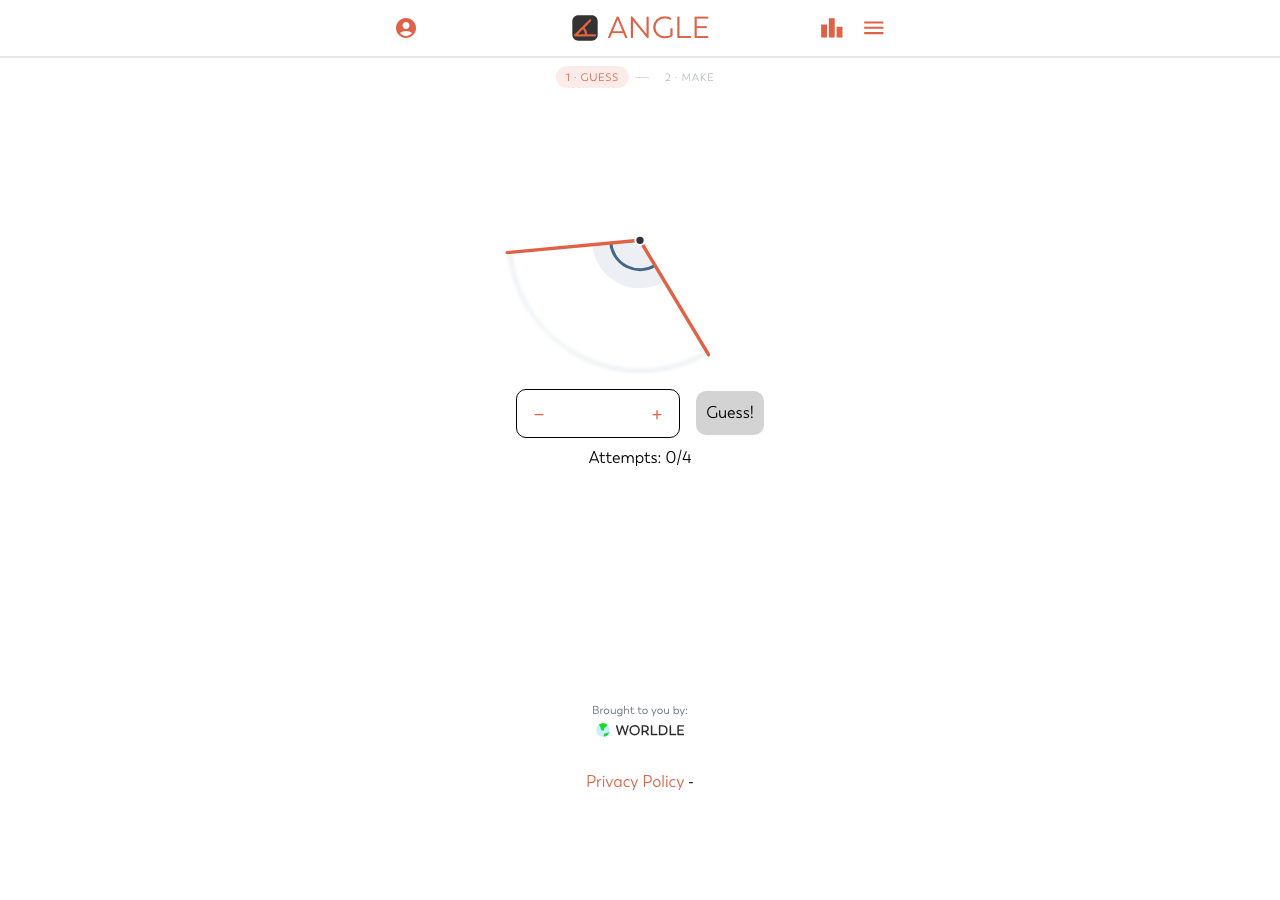
Angle makes a familiar geometry measurement into a short daily visual challenge. Look at the two rays and the marked angle, enter an estimate in degrees, and submit it with Guess! You have four attempts to find the whole-number angle. Each evaluated guess appears below the controls with a directional arrow and a temperature label, so the next estimate can combine visual judgment with the feedback already earned. The default Guess screen is the focus here; you can play it in your browser without signing in.
How to play
- Open the default Guess screen and inspect the marked angle between the two rays.
- Enter a whole-number estimate in the degree field, then select Guess! to submit it.
- Read the result row: an up arrow means the target is higher, while a down arrow means it is lower. Use the temperature label as a closeness clue.
- Refine your next estimate while watching the attempt counter. You have four guesses, so use both the diagram and the previous feedback rather than changing numbers at random.
What do the arrow and temperature mean?
The arrow tells you which direction to change your numerical estimate: up for a larger angle and down for a smaller one. The temperature describes how close the guess is. They answer different questions, so a higher-or-lower boundary is useful even when the temperature is not especially encouraging. Do not treat a Warm result as an exact measurement.
How many attempts do you get?
The Guess screen allows four guesses and shows the used attempts below the input. Submitting a guess creates a result row; simply editing the number is not a submitted attempt. Compare the marked angle with familiar reference angles before committing, then use the previous rows to narrow your next choice.
Does refreshing start the daily angle over?
In the tested desktop and mobile browsers, a refresh retained the submitted guess, directional feedback and attempt counter for the daily puzzle. That is browser-local progress, not a promise of account or cross-device syncing. If you want to continue the same attempt, return in the same browser rather than assuming another device will pick it up.