Trivia · DAILY GAME
Heyday
Identify a Wikipedia article from its pageview history, using dated spikes and clues unlocked by wrong guesses.
Added to Everydle ·
Play Heyday
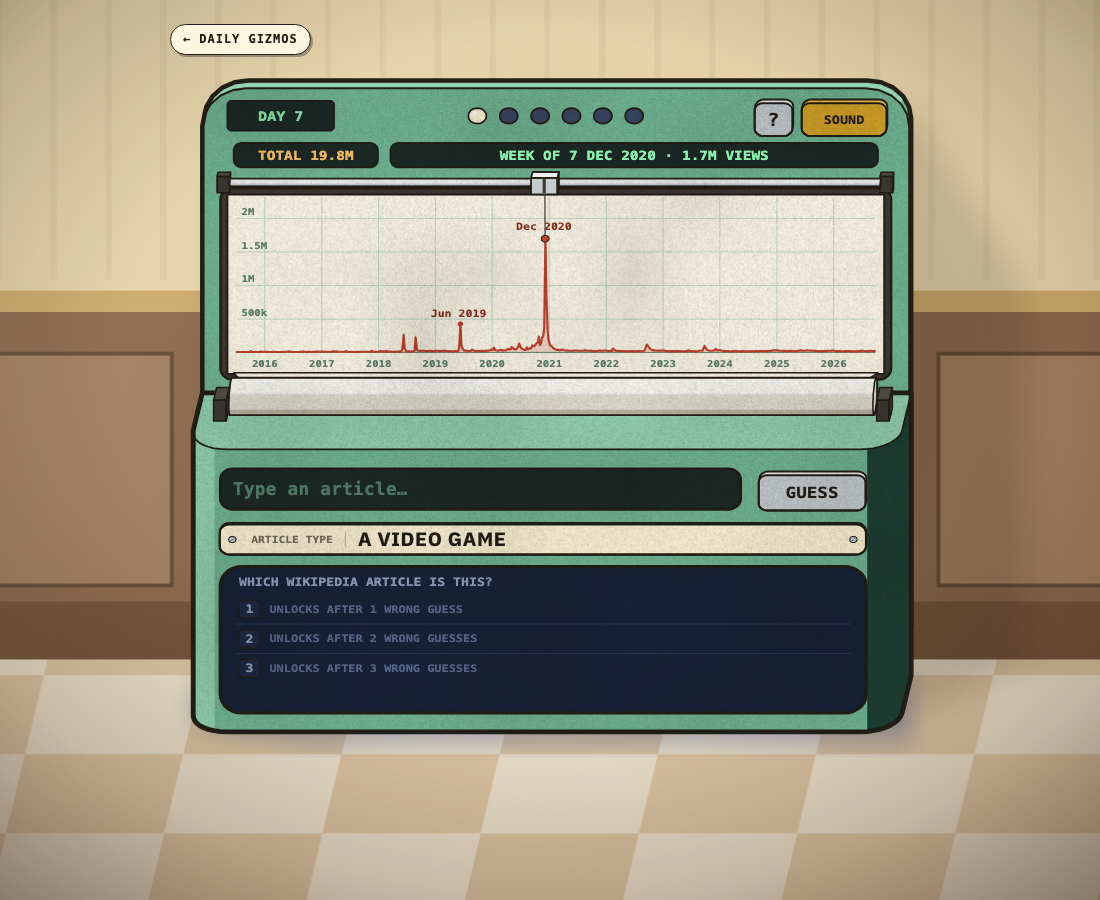
OFFICIAL WEBSITEThis game is played on its official website. The image below is a preview, not an embedded game.
What is Heyday?
Heyday turns a Wikipedia article's weekly pageviews since 2015 into a six-guess identification game. The chart shows when interest rose, while an article-type label narrows the subject. Drag across the timeline to inspect individual weeks, then choose an article from the search suggestions. Wrong guesses reveal further clues rather than simply marking an answer incorrect.
How to play
- Start the game and read the article-type label beneath the chart.
- Drag across the graph to inspect the dates and sizes of traffic spikes.
- Type a possible Wikipedia article, select its actual search suggestion, and press Guess.
- Use the new clue after a wrong answer to reconsider the timeline. You have six guesses.
What can you learn from the traffic spikes?
Drag across the chart to read a particular week's date and pageviews. The graph covers weekly Wikipedia traffic since 2015, so a distinctive spike can point to an announcement, release or other event associated with the hidden article. The article-type label supplies a separate starting clue.
Which clue does a wrong Heyday article unlock?
The game marks the attempt as incorrect, records the article you tried and unlocks another written clue. You have six guesses in total. Select an article from the search suggestions before pressing Guess; typing a title alone does not choose it.
Will refreshing preserve an unfinished game?
Do not rely on it. In the tested desktop and touch guest sessions, reloading returned to Start; starting again showed the same daily chart without the earlier wrong guess or its unlocked clue.